How to choose
- Check the version and supported platform.
- Prefer official sources and review the available scan.
- Read limitations before installing.

Download utilities of all kinds, optimizers, compactors, keyloggers, image editors and more.
Compare Utilities options, check compatibility and review the security information before downloading.

Utility to automate repetitive tasks done by the mouse.

Organize your movies and get recommendations for new movies to watch.

Generate PDF files using any program that allows you to print documents.
Utility that allows you to perform any repetitive Windows activity by itself.

Program that allows you to create X.509 v3 digital certificates.
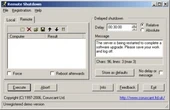
Shut down or restart computers remotely over the network.

Free text editor with many features.
Faster charge your iPad, iPhone or iPod via your ASUS computer's USB port.

Shut down your computer remotely with this little utility.

C++ development environment for beginners and advanced programmers.

Create installers and uninstallers with this simple yet complete program.

Utility that allows you to store all your passwords in a very secure way.
Back up all your drivers for future use.
An instant messenger that works via LAN.

Quickly access your favorite folders.

Software that detects, eliminates, and undoes malicious software on storage devices.

Utility to turn off the computer at a predetermined time.

Software for burning CDs and DVDs.
Automated system for creating websites written in PHP.

Editor for translating websites and applications that use gettext.
Compare features, license, compatibility, update date and file source.
Each page shows the available evidence level, including source, hash and scan when present.