How to choose
- Check the version and supported platform.
- Prefer official sources and review the available scan.
- Read limitations before installing.

System related softwares.
Compare System options, check compatibility and review the security information before downloading.

Disable or enable Windows Defender with just one click.

Control the volume in Windows via the scroll wheel.

Easily remove unused temporary files.

Permanently delete files.

Optimize Windows by disabling unnecessary services.
Effective and easy-to-use disk defragmenter.
Transform your desktop into a real-life desktop.
Utility for Android that allows you to view and change application data.
Simple application that finds and decrypts the Windows key.
Utility that allows you to automatically switch the display state of the Windows taskbar.

Tool for Windows that counts and displays the current file read/write operations of each application running on your system.
Software that brings together various analysis and optimization tools for ASUS computers.
Free full disk encryption software.
Tool that provides a simple and comprehensive user interface to adjust Windows privacy settings.
Tool that allows you to manage Microsoft product updates on Windows.

Utility capable of improving the performance of your computer for playing games.

Free tool that allows you to safely convert from NTFS to FAT32 without losing data.
Utility that allows you to repair damaged RAR and SFX files.
Data recovery software that allows you to recover lost or deleted data on Windows systems.
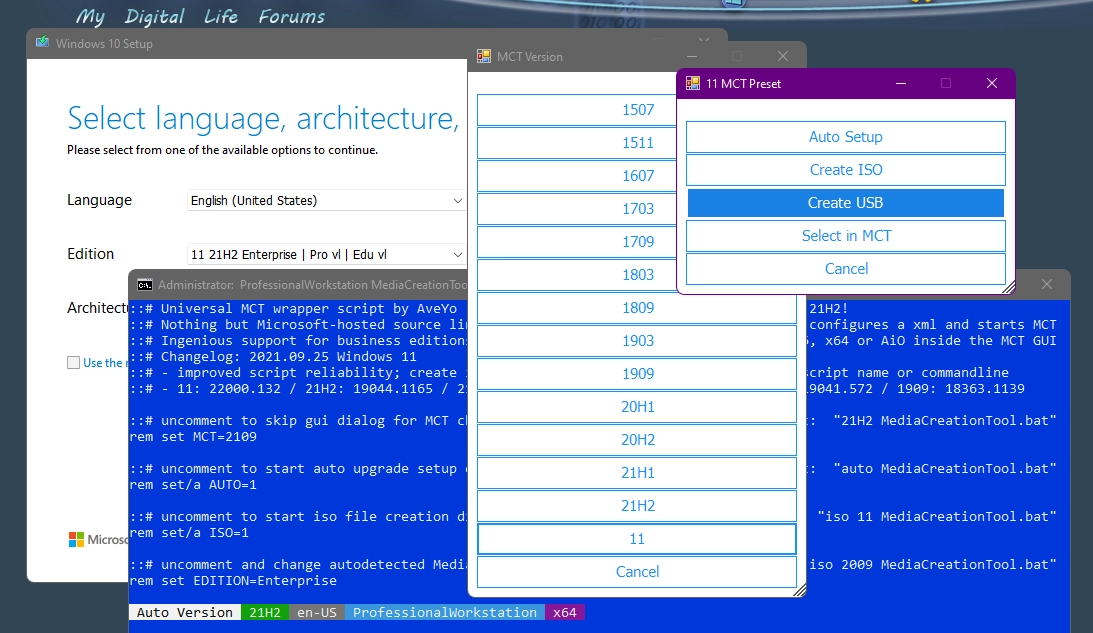
Unofficial batch script that automates and simplifies the process of downloading, creating media, and customizing Windows installations.
Compare features, license, compatibility, update date and file source.
Each page shows the available evidence level, including source, hash and scan when present.