How to choose
- Check the version and supported platform.
- Prefer official sources and review the available scan.
- Read limitations before installing.

System related softwares.
Compare System options, check compatibility and review the security information before downloading.

Alternative start menu for Windows systems.

Software that offers complete control over your PC's startup items.
Startup management software for Windows systems.
Tool developed by Microsoft to help organizations identify and manage potential vulnerabilities in their systems.

List, filter, and manage running processes.

Portable, lightweight, and advanced hexadecimal editor.
Software that allows preventing your computer's hard disk from entering sleep mode.

Modern file manager for organizing files and folders in Windows.

Tool that allows you to optimize the performance of your iOS device.

Utility that allows customization of the Windows 11 clock.
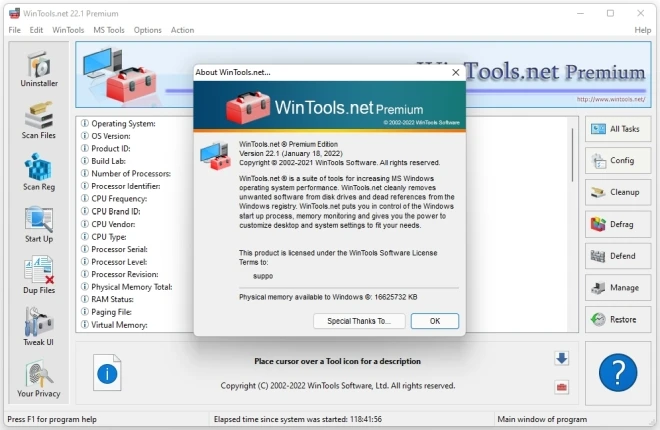
Tool suite developed to optimize the performance of the Microsoft Windows operating system.

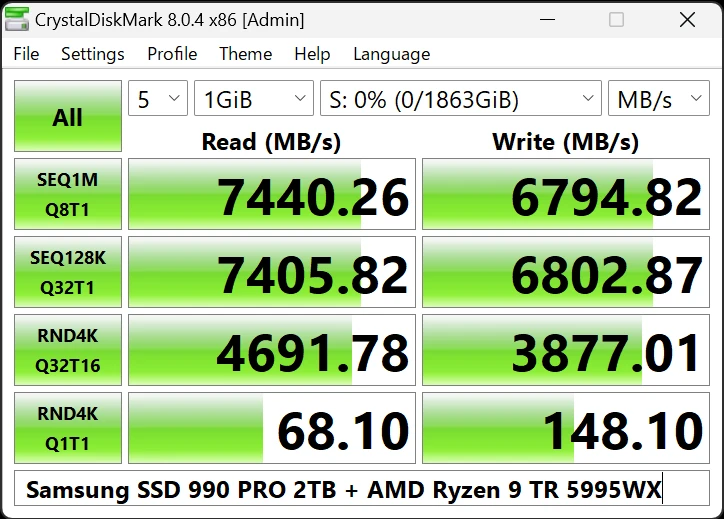
A version of the software CrystalDiskMark that does not require installation, allowing it to run directly from a portable device, such as a USB flash drive.

Tool for Windows systems that displays detailed reports on network usage by software.
Compare features, license, compatibility, update date and file source.
Each page shows the available evidence level, including source, hash and scan when present.