How to choose
- Check the version and supported platform.
- Prefer official sources and review the available scan.
- Read limitations before installing.

System related softwares.
Compare System options, check compatibility and review the security information before downloading.

Utility that allows you to read and view files and folders from various operating systems, including Linux, Windows and Mac.

Efficient solution for managing compressed files on Android: ZArchiver is intuitive and practical.

Android app that provides a practical way to manage your files.
Tool that allows you to install Windows 7 using a DVD or USB drive.

One of the most popular compression utilities for Windows.

Utility that allows you to control the volume of applications in Windows using keyboard shortcuts.
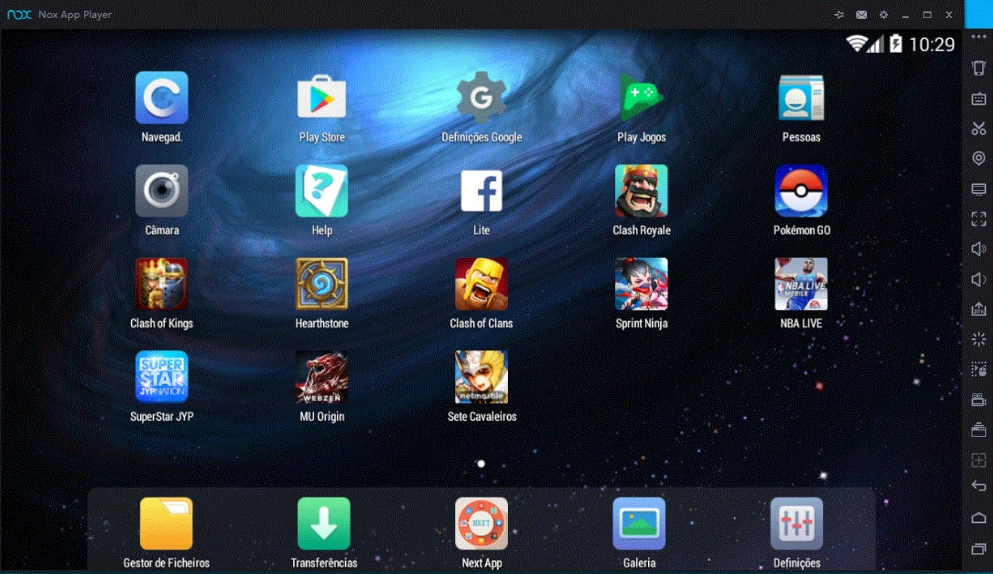
Run Android apps and games directly on your Windows computer.
Optimization and bloatware removal tool for Windows.
Tool that allows formatting storage devices using the FAT32 standard.

Free utility for Windows that indicates the status of Num lock, Caps lock and Scroll lock.

Quickly obtain information about Windows error codes with this utility.

Tool that displays the history of Windows updates on your system.

Hard drive diagnostic software for Windows, with testing, health, performance, and detailed information in a user-friendly interface.

Utility that brings a straightforward way to manage shutdowns and other related functions.

Portable utility that makes it possible to optimize the use of RAM memory.

Utility that simplifies the task of creating lists of files and directories.
Tool for optimizing and reducing files without quality loss.

Software that allows you to instantly free RAM memory to improve your computer

Powerful partition manipulation tool for Windows.

Easily recover accidentally deleted files.
Compare features, license, compatibility, update date and file source.
Each page shows the available evidence level, including source, hash and scan when present.