
Quick Access Popup 11.6.4.4
Utility that allows you to create custom shortcuts for quickly accessing files, folders, programs, websites, text snippets, and other items from a unified menu.
Quick Access Popup (QAP) is a free utility for Windows that allows you to create custom shortcuts for quickly accessing files, folders, programs, websites, text snippets, and other items from a unified menu. It was created to increase productivity by reducing clicks and facilitating navigation in the operating system, especially for users who work with many files or applications frequently.
Main features:
- Customizable menu: Create menus and submenus with shortcuts to folders, documents, applications, web links, FTP servers, command line commands, among others. You can organize items into categories for easier access.
- Quick access: The menu can be opened with a click of the middle mouse button, keyboard shortcuts (default: Windows + W), or by the icon in the system tray.
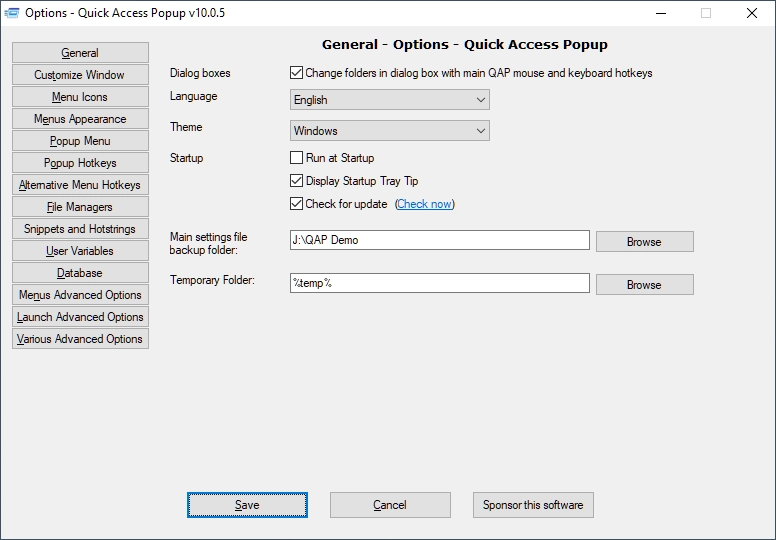
- Integration with Windows Explorer: Allows for quick folder switching in Explorer windows or dialog boxes (Open/Save As), saving time while navigating.
- Support for multiple file managers: Compatible with Explorer, Directory Opus, Total Commander, and others.
- Hotkeys and automation: Assign hotkeys to open items or execute commands. It also supports "snippets" for inserting predefined texts with short codes.
- Drag and drop: Easily add favorites by dragging items from Explorer to the QAP menu.
- Support for variables and parameters: Use Windows/DOS variables and custom parameters for advanced commands.
- Integration with dialog boxes: Facilitates navigation in open/save windows, with instant access to favorite folders.
- Advanced features: Includes dynamic menus, "live" folders, support for custom icons, import/export of settings, and collaboration on shared menus.
How it works:
After installation, QAP adds an icon to the system tray. The user can configure the menu via a customization window, adding favorites manually or by drag and drop. The menu is quickly accessed in any program, and favorites can be launched or used to navigate dialog windows. The interface is intuitive, but the wealth of options may require a brief learning curve for beginner users.
Old versions
File security
1/71 engines flagged the file in the recorded scan.
Scan date: 05/12/2025
SHA-256: e0f4206492951456b80f2cb3d9cac4924ee45091cc824c42346f92476dac9660
Found a problem on this page?Tell the team about broken links, versions or incorrect information.
Related

QontrolPanel 2.2.3
Custom audio panel for Windows that replaces or complements the system's standard sound controls.

SoundSwitch 7.3.3
Software that enables quick switching of audio devices in Windows.

Fastfetch 2.68.1
Command-line tool that provides system information.
Sandboxie 5.73.3
Install software and browse the web securely in an isolated
RisohEditor 6.1.9
Resource editor for Windows that allows you to create and modify resource files.

NTLite 2026.09.11904
Software that allows customization of Windows installations.

Grub2Win 3.0.3.9 Build 2013
Tool that facilitates the installation of multiple operating systems.
Win11Debloat 2026.08.24
Simplified bloatware removal script for Windows 11.