
KeepMouseSpeedOK 3.51
Small utility that prevents Windows from changing the mouse pointer speed automatically.
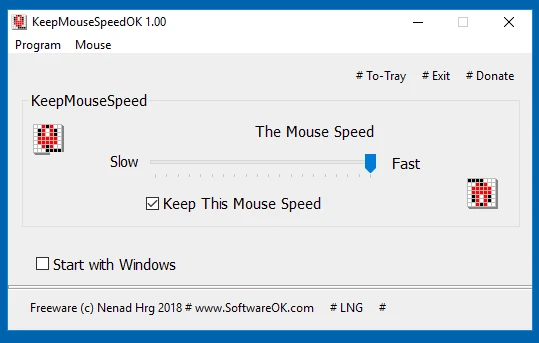
KeepMouseSpeedOK keeps the pointer speed stable on versions of Windows where this setting often changes on its own after reboots or driver changes. The program is less than 50 KB and loads instantly, running in the background to ensure that the configuration you set remains unchanged.
The system tray presence feature enables quick adjustments, allowing you to tweak the pointer sensitivity whenever needed without navigating through various Windows menus. The organization of the controls follows the classic layout found in the system settings panel, making it easy to identify the options.
KeepMouseSpeedOK offers immediate toggling between speed levels, records the set value, and automatically restores it after each startup, preventing frustrations caused by unexpected changes. Even occupying almost no computer resources, it delivers stable, reliable, and straightforward behavior for those who need to maintain the precise cursor speed in their daily tasks.
Old versions
File security
0/68 engines flagged the file in the recorded scan.
Scan date: 02/04/2026
SHA-256: 74e6e40cf3afd0089b8d92dfecd850788b9dc2c434c6d7710552e33fd32f1ea5
Found a problem on this page?Tell the team about broken links, versions or incorrect information.
Related

QontrolPanel 2.2.3
Custom audio panel for Windows that replaces or complements the system's standard sound controls.

SoundSwitch 7.3.3
Software that enables quick switching of audio devices in Windows.

Fastfetch 2.68.1
Command-line tool that provides system information.
Sandboxie 5.73.3
Install software and browse the web securely in an isolated
RisohEditor 6.1.9
Resource editor for Windows that allows you to create and modify resource files.

NTLite 2026.09.11904
Software that allows customization of Windows installations.

Grub2Win 3.0.3.9 Build 2013
Tool that facilitates the installation of multiple operating systems.
Win11Debloat 2026.08.24
Simplified bloatware removal script for Windows 11.