
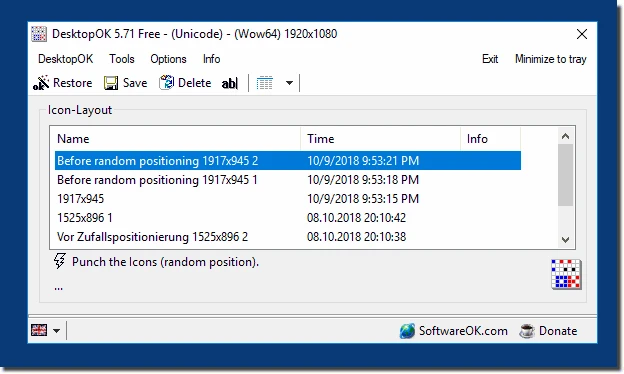
DesktopOK 12.77
Save the position of Windows desktop icons to restore it if necessary.
Baixe.net VerifiedOfficial source checked on 08/27/2026 by Team Baixe.net.Learn about verification →DesktopOK is a free software developed by SoftwareOK, aimed at managing and saving icon layouts on the Windows desktop. It allows users to save, restore, and organize the arrangement of icons in different scenarios, such as screen resolution changes, multiple monitors, or different work configurations.
Main Features
- Saving and Restoring Icon Layouts:
- Allows saving the exact position of icons on the desktop in different profiles or layouts.
- Supports multiple layouts, ideal for users who switch between different screen resolutions (for example, when connecting or disconnecting external monitors).
- Each layout can be named and associated with a specific configuration, such as “Work,” “Home,” or “Games.”
- Support for Multiple Resolutions:
- Automatically detects changes in screen resolution and allows restoring the icon layout corresponding to the current resolution.
- Useful for laptops that switch between external monitors or different DPI settings.
- Automatic Icon Organization:
- Offers options for automatically aligning icons in grids or predefined patterns.
- Allows adjusting the spacing between icons for a more organized appearance.
- Backup and Export:
- Allows exporting saved layouts as files (.dok), facilitating transfer between computers or creating backups.
- Supports restoring layouts from these files, ensuring consistency across different devices.
- Automation Features:
- Includes the option to automatically save the icon layout at regular intervals or on specific events, such as system startup or resolution change.
- Can be configured to start with Windows, ensuring that the desired layout is applied automatically.
- Customization and Interface:
- Has a simple and lightweight interface, designed to be intuitive even for non-technical users.
- Available in multiple languages, including Portuguese, making it accessible to different audiences.
- Allows customizing keyboard shortcuts for quick actions, such as saving or restoring layouts.
- Other Tools:
- Includes additional features, such as minimizing all windows to view the desktop, temporarily hiding icons, or quickly accessing system settings.
- Offers support for multiple users on the same computer, with separate layouts for each account.
Limitations
- The interface, while functional, may seem outdated to some users, with a minimalist design that prioritizes functionality over aesthetics.
- Does not offer integration with cloud services for automatic layout synchronization between devices.
- Some advanced features, such as complex automation, may require manual configuration.
Old versions
File security
0/66 engines flagged the file in the recorded scan.
Scan date: 07/16/2026
SHA-256: 69f1c0e0bd61b7d93fcd4cc05476ff0c7eb9035c73802e86e65dd861436a24c3
Found a problem on this page?Tell the team about broken links, versions or incorrect information.
Related

WindowTop 5.32.6
Optimize your productivity with this tool that allows you to apply a series of attributes to the windows.

WindowTop Portable 5.32.6
Lightweight and free tool that enhances window management on Windows, allowing for greater productivity and customization.
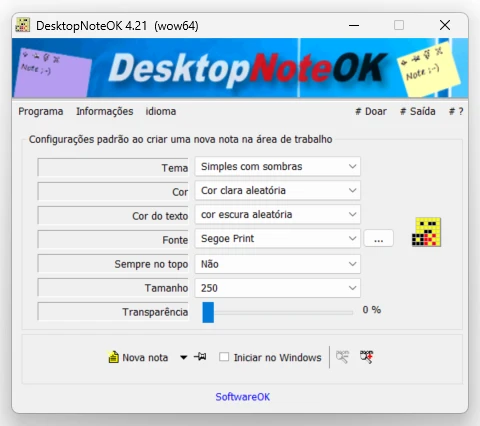
DesktopNoteOK 4.66
Tool that allows the creation of digital notes on the Windows desktop.
Start11 2.7
Start menu replacement that allows you to bring various different styles to Windows 10 and 11.

DesktopDigitalClock 6.23
Customizable digital style clock display.
BeWidgets 1.0.28.0
Allows you to create custom widgets directly on the desktop.
DesktopClock3D 2.44
3D clock for Windows that provides a sophisticated and functional display of the time and date.
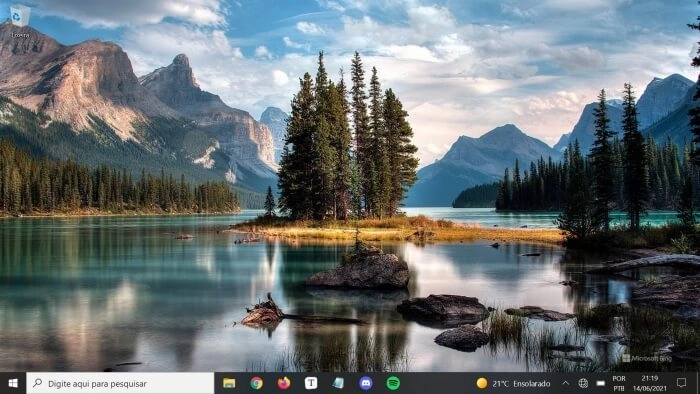
Bing Wallpaper 1.1.438.0
Software that brings the daily images from the Bing search engine directly to the desktop.