
ClassicMenu 4.68
Software that allows switching between the classic context menu and the new collapsed menu introduced in Windows 11.
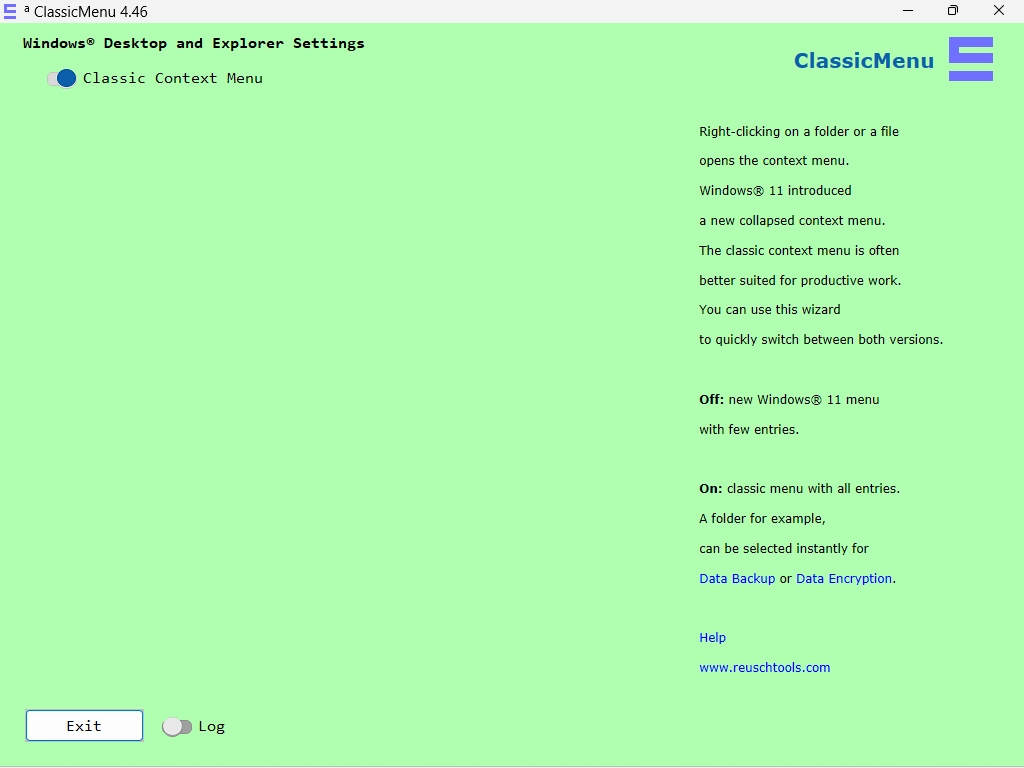
ClassicMenu is software developed by Reuschtools that focuses on improving the user experience of the context menu in Windows 11. It allows users to switch between the classic context menu and the new collapsed menu introduced in Windows 11, facilitating quick access to menu options to increase productivity.
The software allows for the activation of the classic menu with all available entries by setting the option to "On", or to maintain the new menu with few entries by setting it to "Off". This enables immediate actions, such as data backup or encryption, by right-clicking on folders or files.
Among its features, ClassicMenu allows for anonymous download and does not require traditional installation, using a "Click To Run" method. It is part of the Reuschtools container and can be launched from the Start Menu after the main Reuschtools installation, without hidden downloads, uploads, or updates.
Old versions
File security
0/72 engines flagged the file in the recorded scan.
Scan date: 09/07/2025
SHA-256: 1dc177cfcf85853351ef54f0133e0a1663d46f8a59e352c98cea7edff115d11b
Found a problem on this page?Tell the team about broken links, versions or incorrect information.
Related

QontrolPanel 2.2.3
Custom audio panel for Windows that replaces or complements the system's standard sound controls.

SoundSwitch 7.3.3
Software that enables quick switching of audio devices in Windows.

Fastfetch 2.68.1
Command-line tool that provides system information.
Sandboxie 5.73.3
Install software and browse the web securely in an isolated
RisohEditor 6.1.9
Resource editor for Windows that allows you to create and modify resource files.

NTLite 2026.09.11904
Software that allows customization of Windows installations.

Grub2Win 3.0.3.9 Build 2013
Tool that facilitates the installation of multiple operating systems.
Win11Debloat 2026.08.24
Simplified bloatware removal script for Windows 11.