How to choose
- Check the version and supported platform.
- Prefer official sources and review the available scan.
- Read limitations before installing.

System related softwares.
Compare System options, check compatibility and review the security information before downloading.

Software for data recovery and partition repair on hard drives, SSDs, memory cards, and other storage devices.
Free software that allows you to extract icons and cursors stored in files such as EXE, DLL, OCX, CPL, and CIL.
Script that allows you to clear the Windows Defender protection history on Windows 10 and 11 systems.
Free monitor calibration software for Windows that allows you to adjust colors, brightness, and contrast in a simple and effective way.

Software that easily allows you to adjust the size and style of system fonts in Windows 10/11.

Portable and free tool that simplifies the process of assigning drive letters to hard drives or external storage devices.

Free utility created to display the product key (CD key) of the Windows installed on the system, as well as other important information.

Software that allows for the facilitation and acceleration of the file and folder renaming process.
Software developed to recover more than 2,000 types of files, including photos, videos, documents, and audio.

Software that allows you to monitor changes in specific folders on your system.

Optimization and repair software for computers that allows for improved performance, privacy, and security of Windows systems.

Software that allows you to convert batch script files (.BAT) into executables (.EXE).

Specialized software for recovering accidentally (or not) deleted files.
Advanced and free file management software, created to replace or complement Windows Explorer.

Terminal emulation software that allows remote access to servers, network devices, and other systems.
Console tool that allows you to discover, pair, and manage Bluetooth and Bluetooth Low Energy (BLE) devices.

Clone of the File Locksmith utility from PowerToys, created to find out which processes are blocking a specific file or folder.
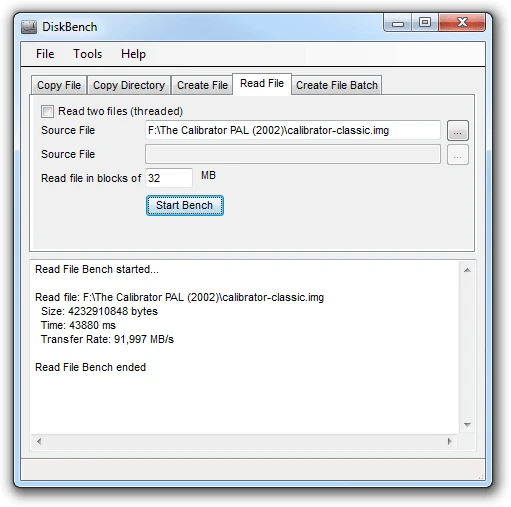
Disk benchmarking tool that allows measuring the actual speed of reading, writing, and copying files on hard drives or SSDs.
Professional dock for Windows that provides quick access to the most used applications, folders, and documents.

Command line shell for Windows that expands the capabilities of the traditional CMD.
Compare features, license, compatibility, update date and file source.
Each page shows the available evidence level, including source, hash and scan when present.