

Fraps 3.5.99
Measure the number of frames per second of games, capture images and record videos!
Fraps is a utility for Windows that allows you to measure the amount of frames per second you are getting on your screen and even save the statistics for later use.
Allows you to take and automatically save screenshots just by pressing a key. There is no need to put the print screen in an image editing software and then save it.
With Fraps you can also record your gameplay with audio and video with resolutions up to 7680x4800 with a custom frame rate per second (from 1 to 120).
File security
1/69 engines flagged the file in the recorded scan.
Scan date: 07/17/2022
SHA-256: 7213f30970c9764e1e0f85f15125f9241cf2619fb4724d322b5fe6f8ee3d9da0
Found a problem on this page?Tell the team about broken links, versions or incorrect information.
Related
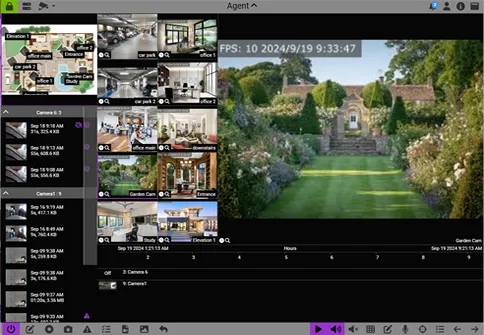
Agent DVR 7.9.9.0
Video surveillance software with advanced features such as motion detection and facial recognition.

ShareX 21.0.0
Tool that allows you to take a screenshot or record your PC screen, upload it and copy it to the clipboard with just one key press.

WinCam 3.9
Powerful and extremely easy-to-use screen recorder for Windows.
Free Video to JPG Converter 5.0.101.201
Extract frames from video files to JPG format.

Webcam Capture
Software for capturing any type of webcam or digital camera.
WebShot 1.7.1.1
Take screenshots of entire pages of websites.
Weys 2.0.3
Create wall papers for your cell phone from non-PC images.

Print Screen Replacement 1.0.0.3
Add new functionality to the Print Screen key.