
eM Client 10.3.2040.0
Email and calendar management software that lets you manage multiple email accounts and calendars in one place.
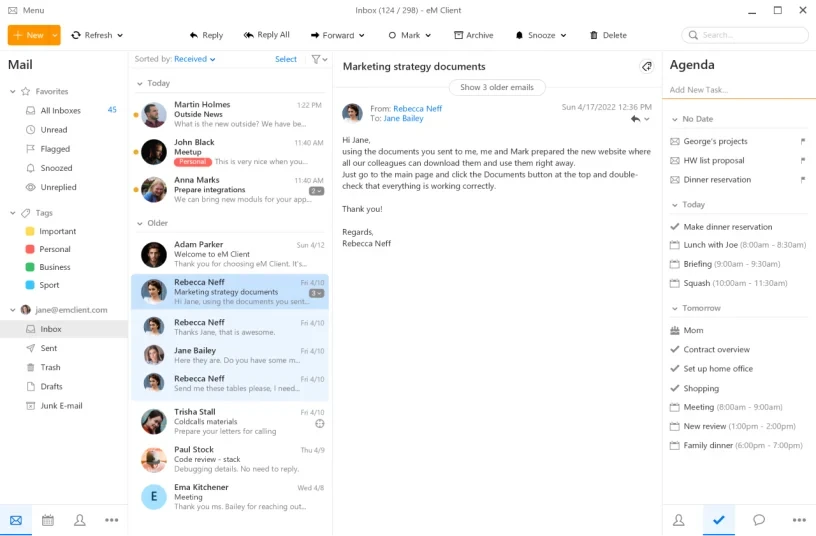
eM Client is an email and calendar management software that has an intuitive and easy-to-use interface that allows you to manage multiple email accounts and calendars in one place.
The software supports all major email services including Gmail, Yahoo, Outlook, Exchange, iCloud and others. It also has email encryption features and support for digital signatures.
The eM Client also includes built-in calendar features that allow you to schedule appointments, meetings and events. The calendar can be synced with Google Calendar, iCloud and other calendar services.
In addition, the eM Client has an integrated chat feature, which allows you to communicate with your contacts on Google Talk, Jabber and other instant messaging networks.
The software also has advanced features such as email filtering, quick email and contact search, support for email tags and categories, email backup and restore, among others.
Found a problem on this page?Tell the team about broken links, versions or incorrect information.
Related

gSyncit 5.8.42
Tool that allows synchronizing Outlook data, such as calendars, contacts, tasks, and notes.
OutlookAddressBookView 2.46
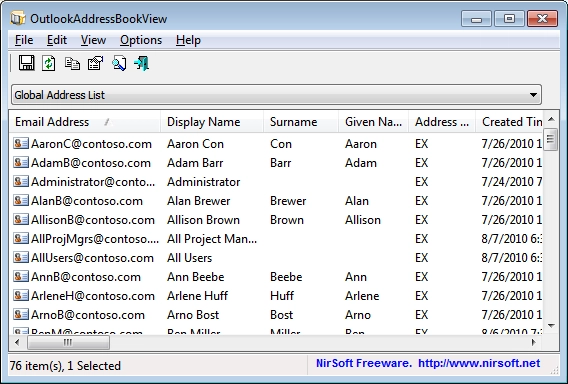
View and export the address book of Outlook.

Mozilla Thunderbird 139.0.1
One of the most used email clients today.
Betterbird 128.11.0esr-bb28
Enhanced version of Thunderbird with more features, stability, and privacy.
OutlookAttachView 3.54
Tool that allows you to view and extract attachments from email messages stored in Outlook PST files.
Howard Email Notifier 2.12
Free software for Windows that allows you to monitor multiple email accounts, receive desktop notifications, organize messages into folders and send emails directly from the application.
Outlook4Gmail 5.6.1
Add-in for Microsoft Outlook that facilitates synchronization between Google accounts and Outlook.

OutlookStatView 2.31
Utility that displays statistics about who you communicate with through Outlook.